Import Users from Google Workspace
The Google Workspace connector for staff helps add your users to the Genuity platform either individually or in groups.
Step 1: Login to the Google Workspace console
Step 2: Go to Users from console dashboard
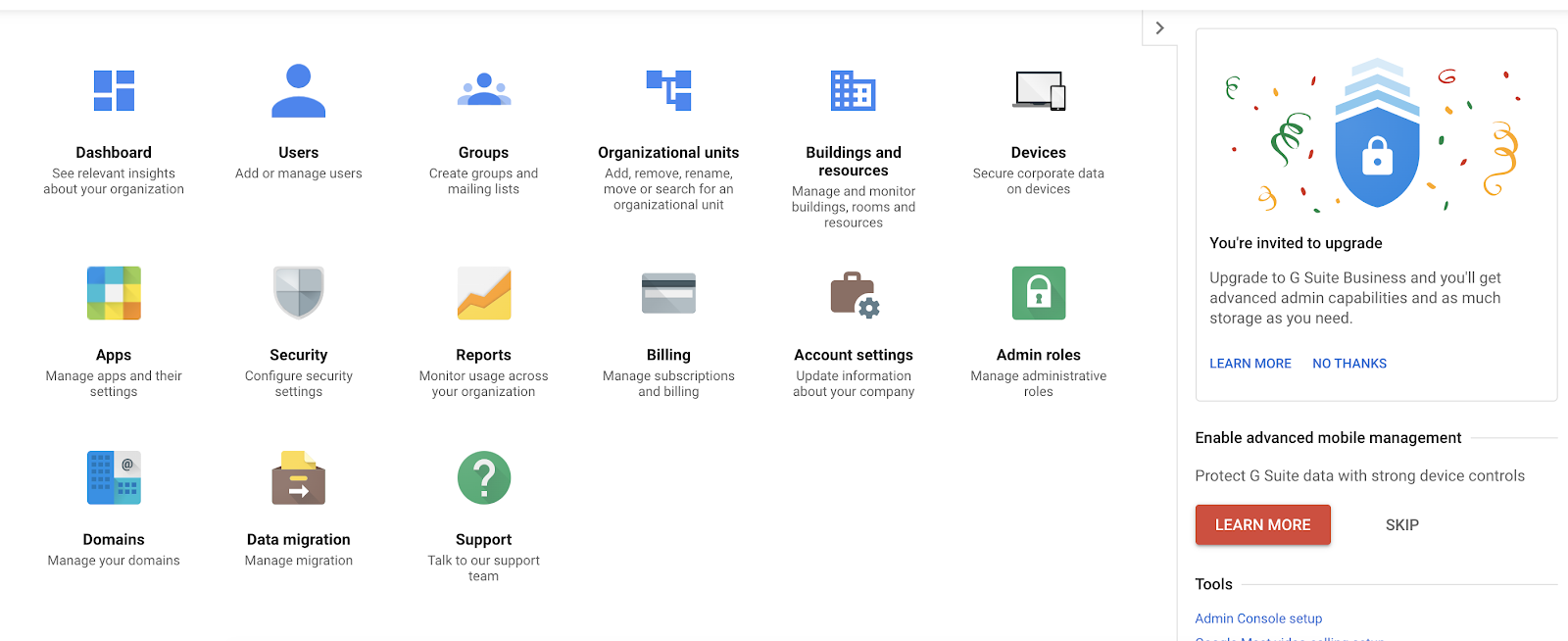
Step 3: Select the particular user whom you want to make Super Admin
Step 4: Scroll down to Admin roles and privileges
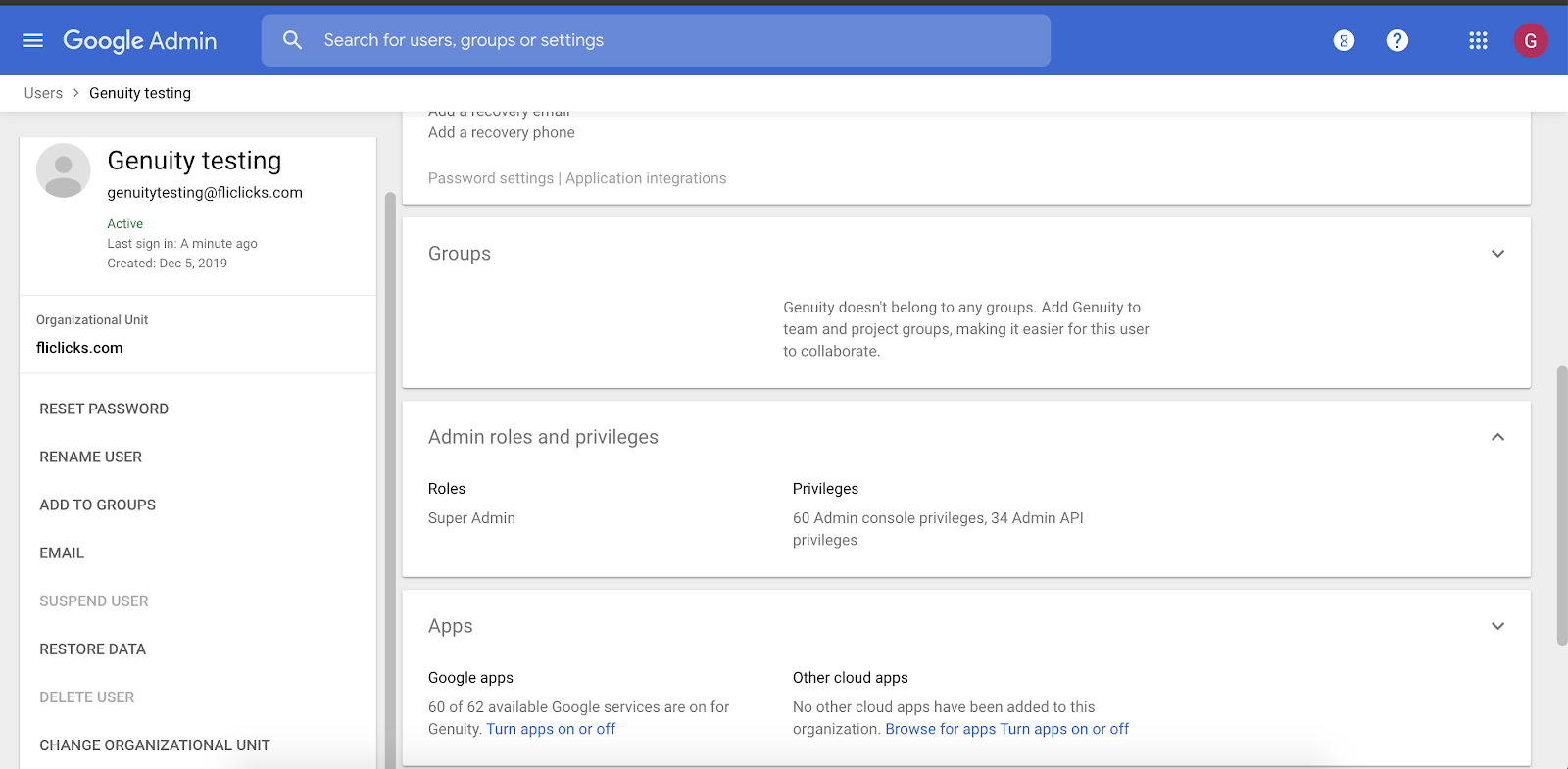
Step 5: Assign Super admin privileges for that user
Step 6: Save the updated privileges
Step 7: Now you can sync G Suite with genuity with the user you’ve given super admin privileges.
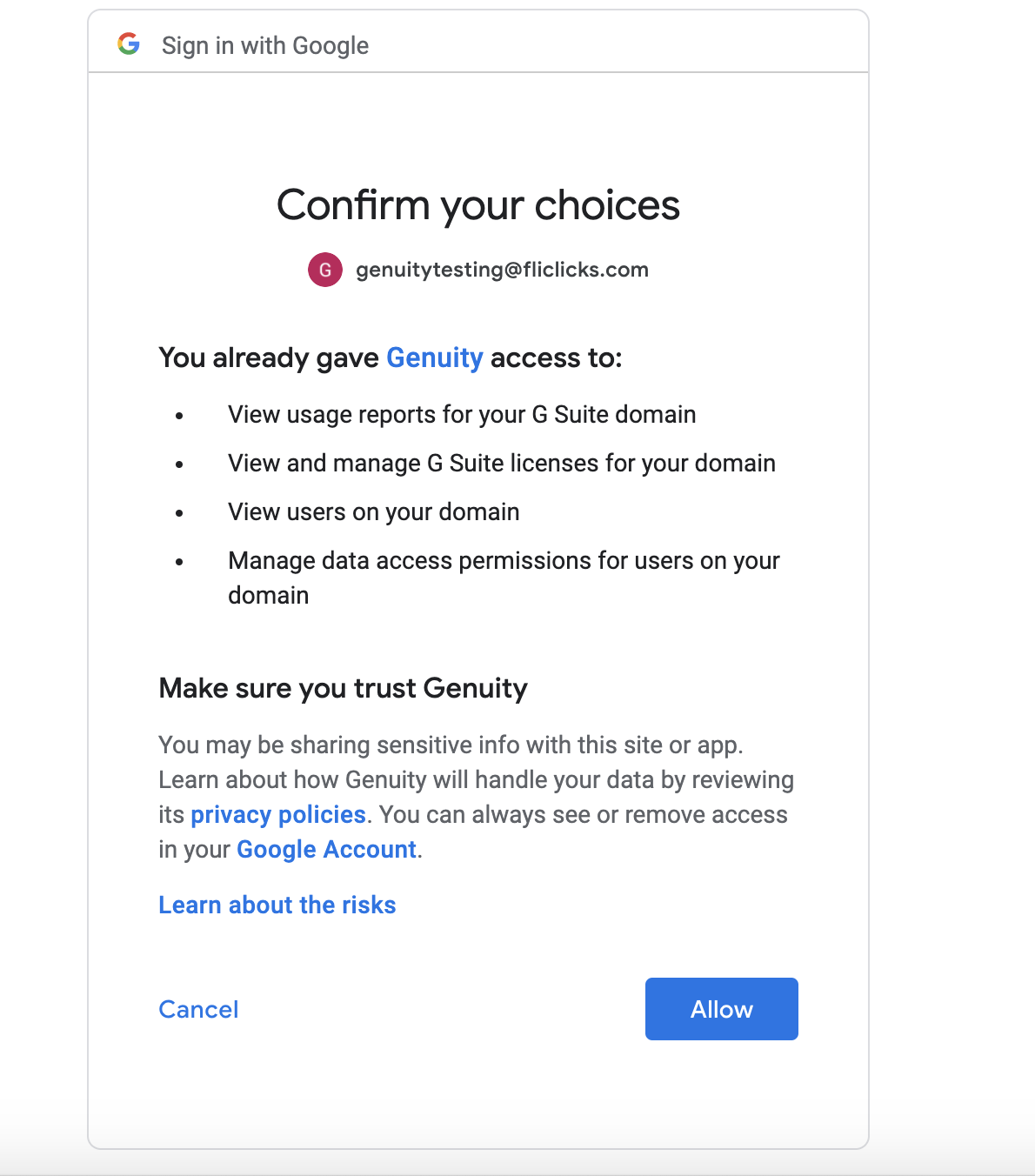
Step 8: Google will ask for consent of the required scopes, in order to integrate, please allow them all.
Step 9: Now the process is complete, and may take some time (up to 15 mins) to complete sync your data.