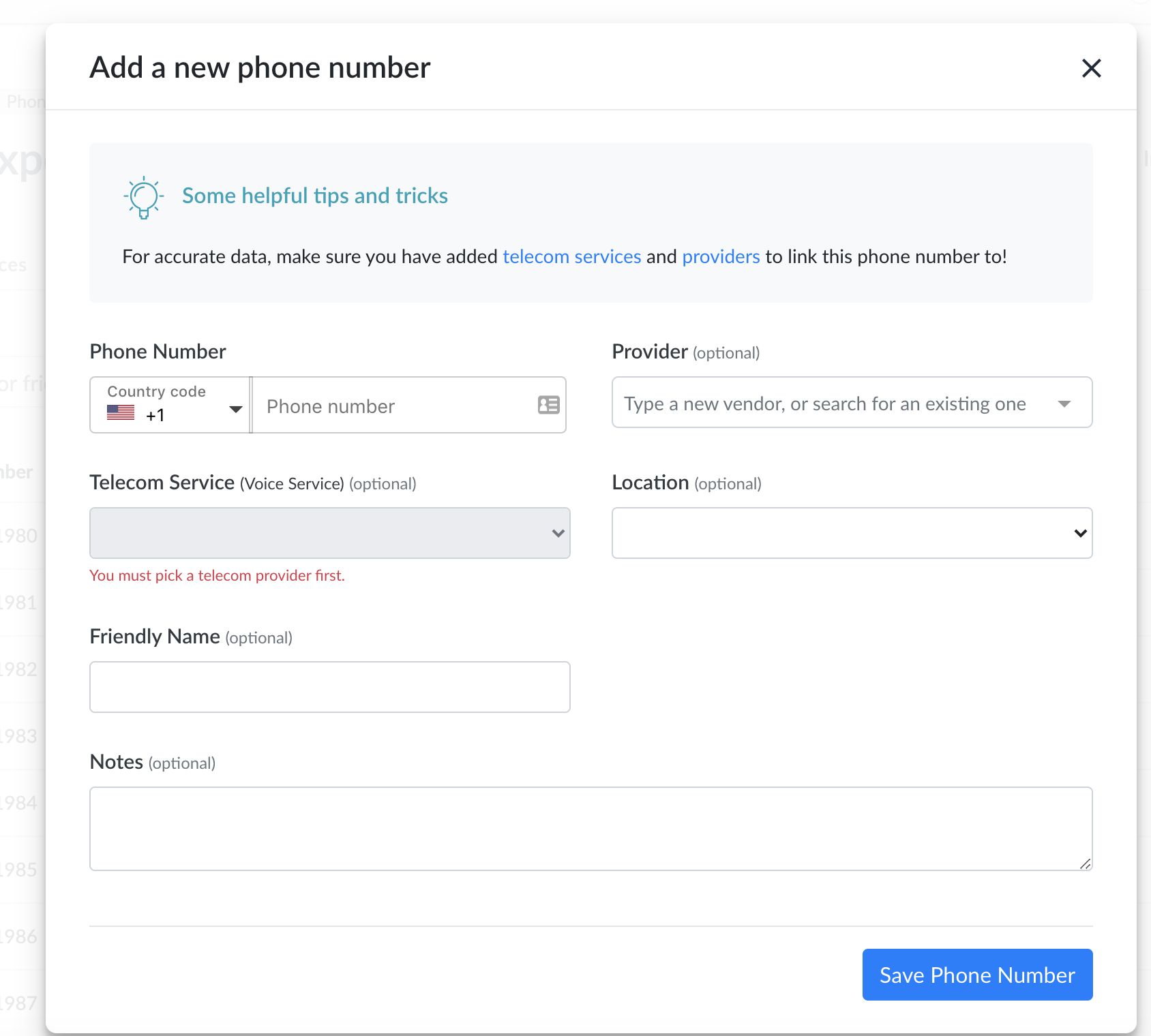
You can also add phone numbers manually.
- Login to Genuity. You will need to have edit permissions for the Telecom Expense Management module to add a phone number.
- Navigate to Telecom Expense Management→Phone Numbers.
- Click Add Phone Number on the top right corner.
- Enter in the number's information. Choosing the telecom provider and the service it belongs to are required fields. For a more accurate record of your numbers, we also recommend linking the Location.
- You can add any notes you have for this particular line to keep in your records.
- Click Save Number to add the number to Genuity.
Phone numbers can also be added directly on services when they are created.