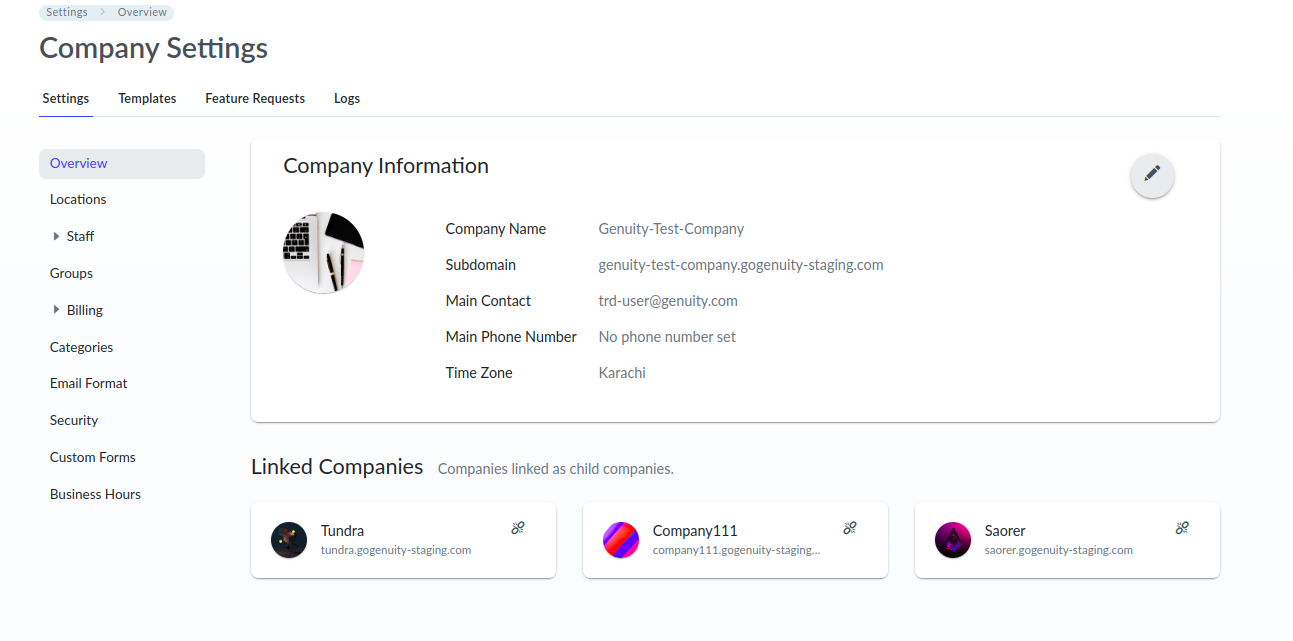
Your company would be unlinked from its child company.
To unlink the company, the logged-in user must have admin permissions within the company.
● Then navigate to Company Settings > Overview page.
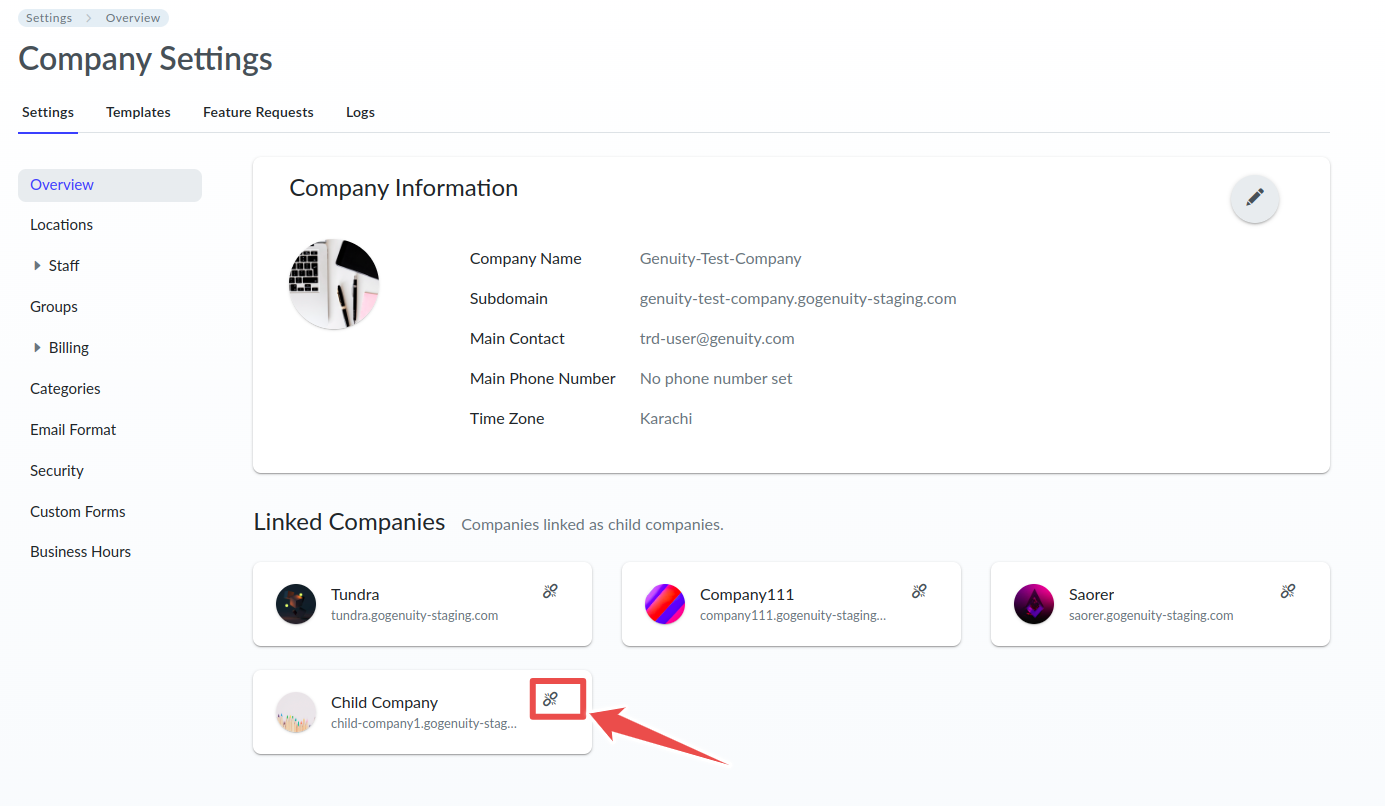
● Locate the company within the section that lists your linked companies.
● Click on the Unlink icon in the child company’s information section.
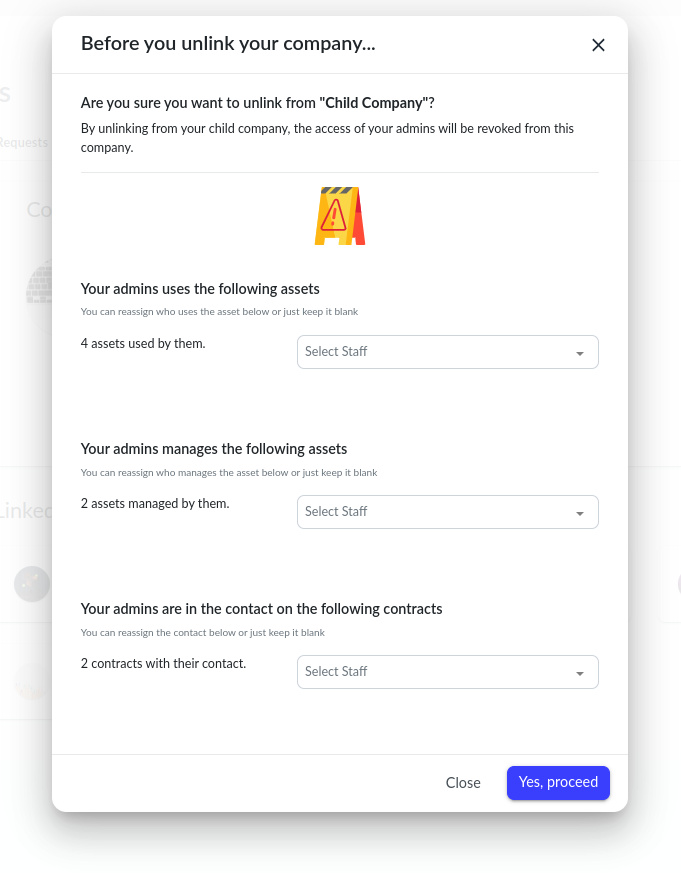
A confirmation prompt will appear, displaying information about entities associated with your admins in the child company.
● Please carefully read the instructions and, if desired, reassign an alternate user to all entities.
● Then click the Yes, proceed button if you really want to unlink the child company.
After successfully unlinking, you will be able to navigate within the company, and the child company will be removed from the Company Settings > Overview page.