Vendors Dashboard
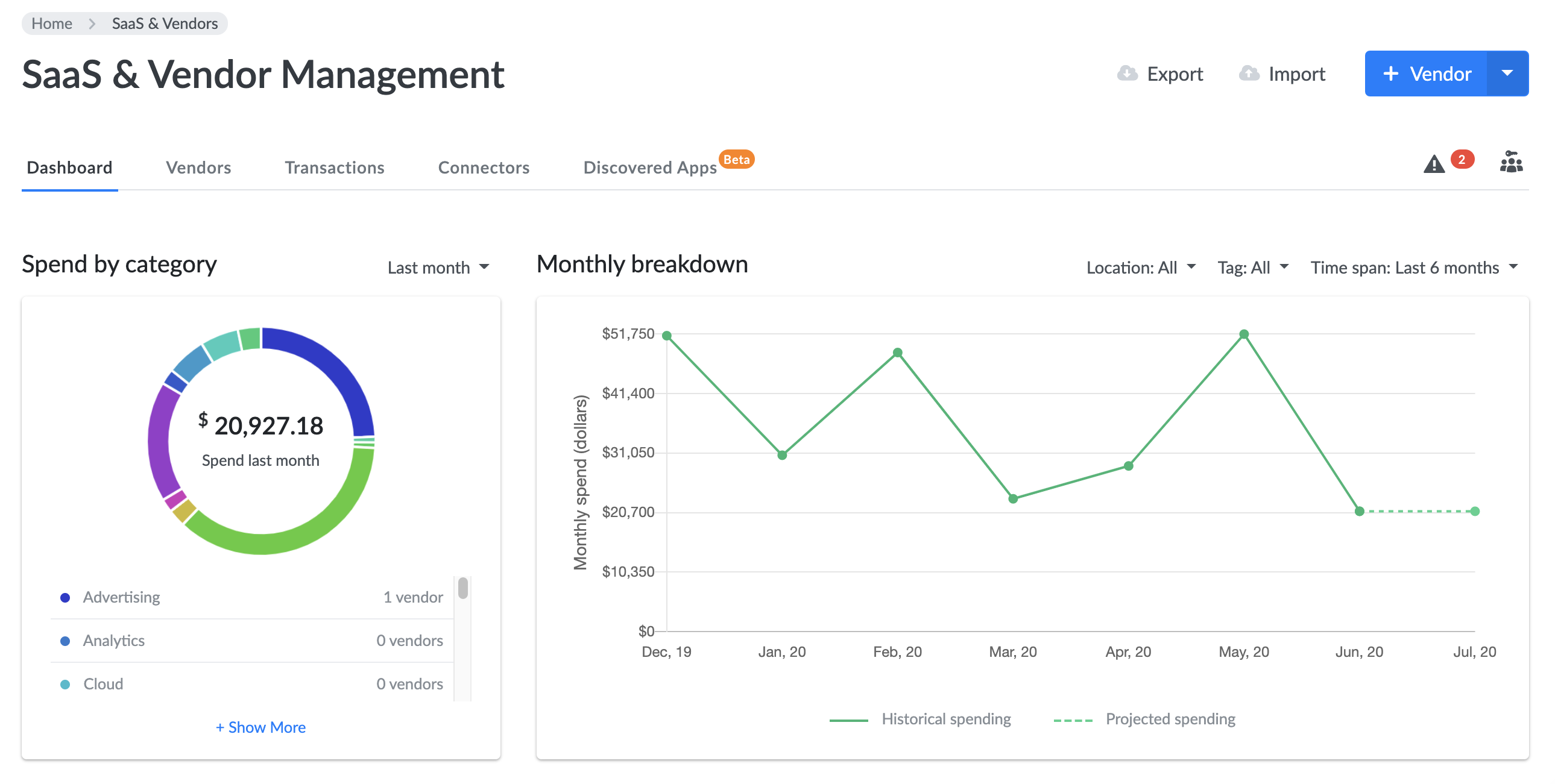
On the dashboard of the Vendor Expense Management module, you can see a summary of your total spending, your category breakdown, your spend by vendor, account, and tag. Each category on the dashboard has its own set of filters.
Vendors List
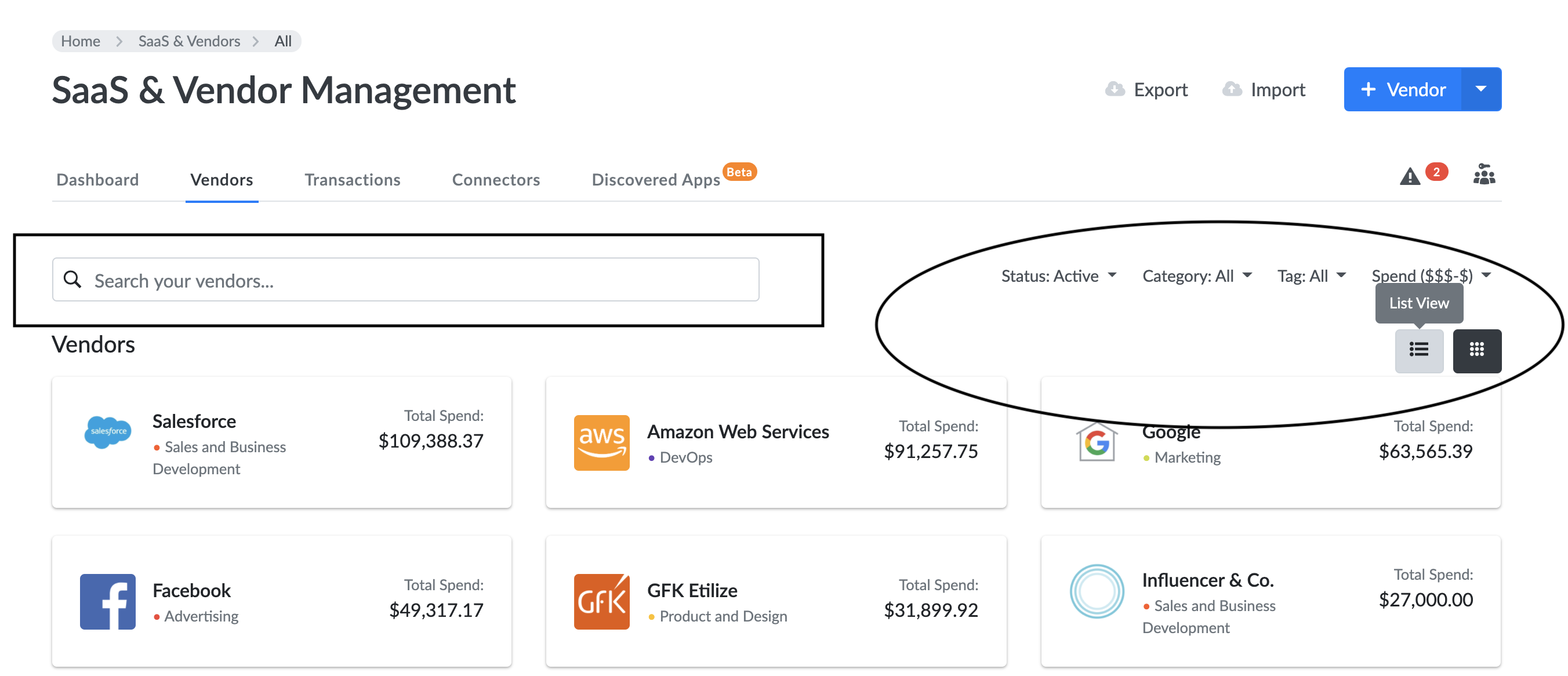
To see a list of all the vendors, move to the next tab. Here you can quickly see their total spend. To get a more detailed view, click any of these to see the full Vendor Profile.
Search by vendor and filter by status, category, tag, spending amount and even change from a grid to list view.
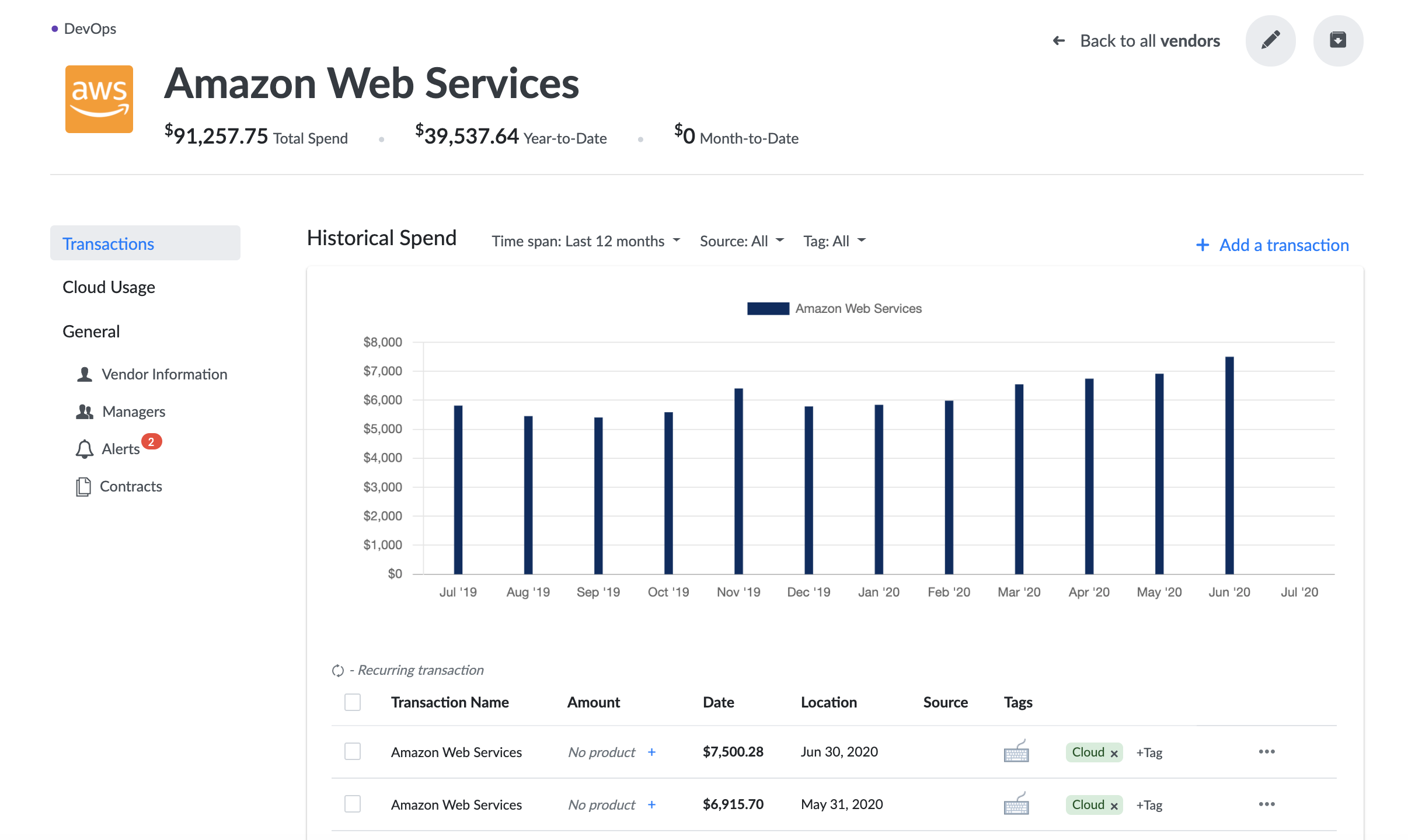
In the Vendor Profile, you can see a full list of that vendor's transactions. You can also add vendor managers, contacts, set alerts, link assets, contracts, telecom services and more.